

Shopify Collections Guide: Setup, Strategy, and CRO Tips (2026)

[ SUMMARIZE WITH AI ]
[ FREE CRO TEARDOWN ]
Find the 3 biggest revenue leaks on your store.
Every day a conversion leak goes unfixed, you're paying for traffic that doesn't buy. Get a 5-minute Loom through your PDP, cart, and checkout, with mockups of the fixes. No pitch.
Get My TeardownA Shopify collection is a logical grouping of products. Think of it as a themed display in a physical store: the "New Arrivals" table, the "Summer Sale" rack, or the aisle dedicated to a specific brand. Collections are designed to help shoppers find what they’re looking for without friction.
Why Collections Are Critical for Your Store
Imagine an online store with thousands of SKUs and no categorization. A customer looking for a black t-shirt would face an impossible task and likely bounce. This is a site without a coherent collection strategy. Collections transform product catalog chaos into a curated, high-converting shopping experience.
They are not just product folders, they are merchandising tools that define the customer journey. For anyone just starting, understanding the fundamentals of what is Shopify and how does it work helps put their importance into perspective. When executed correctly, collections are the bedrock of effective ecommerce.
Collections turn casual browsers into confident buyers by creating clear, intuitive paths to purchase. Instead of forcing customers to sift through your entire catalog, you guide them directly to relevant products, a proven way to reduce bounce rates and increase conversion.
The Impact on Navigation and Discovery
For large catalogs, a logical collection structure is essential. It forms the backbone of your site's navigation, enabling filtering and browsing that mirrors how your customers think and search.
A strong collection strategy delivers measurable wins:
- Simplified Product Discovery: Grouping items by type ("T-Shirts"), theme ("Summer Essentials"), or promotion ("On Sale") makes browsing intuitive.
- Improved Site Navigation: Collections build your main menu and filtering options, creating logical pathways for shoppers.
- Increased Time on Site: When users easily find relevant products, they stay longer, explore more of your catalog, and are more likely to purchase.
- Higher Revenue Per Visitor: Curated assortments create opportunities for cross-sells and upsells, directly boosting average order value (AOV).
This organization is critical for Shopify’s most popular industries. For the thousands of fashion and apparel brands on the platform, collections are everything. As of late 2025, apparel is the dominant category with 795,676 active stores, all of which depend on collections for everything from seasonal drops to bestseller showcases. You can find more details in this breakdown of Shopify statistics.
Manual vs. Automated Collections: Which One Should You Use?
Choosing between manual and automated collections is a strategic decision that impacts customer experience and your team's operational efficiency.
Manual collections offer complete, hands-on control. You are the curator, hand-picking every product. In contrast, automated collections are logic-driven. You set the rules, and Shopify acts as an assistant, automatically populating the collection based on product conditions.
When to Use Manual Collections
Manual collections provide precision for curated experiences where automation falls short. The tradeoff is the manual effort required to add or remove every product.
Use manual collections for:
- Limited-Time Campaigns: For a "Holiday Gift Guide" or "Black Friday Doorbusters," you need a specific set of products. A manual collection guarantees the right mix for these high-impact events.
- Curated Looks or "Shop the Look": If you're selling a complete outfit or a designed room, you must select the exact items that work together. An algorithm can’t replicate a stylist's eye.
- Influencer or Staff Picks: A collection titled "Sarah's Summer Favorites" must contain only the products Sarah chose. Manual curation ensures authenticity.
- New Arrival Drops: For a highly anticipated weekly product drop, you want precise control over which products go live and when to create a focused, exciting launch.
The bigger your catalog, the more you'll rely on collections to maintain order. This decision tree helps illustrate when a structured collection strategy becomes essential.
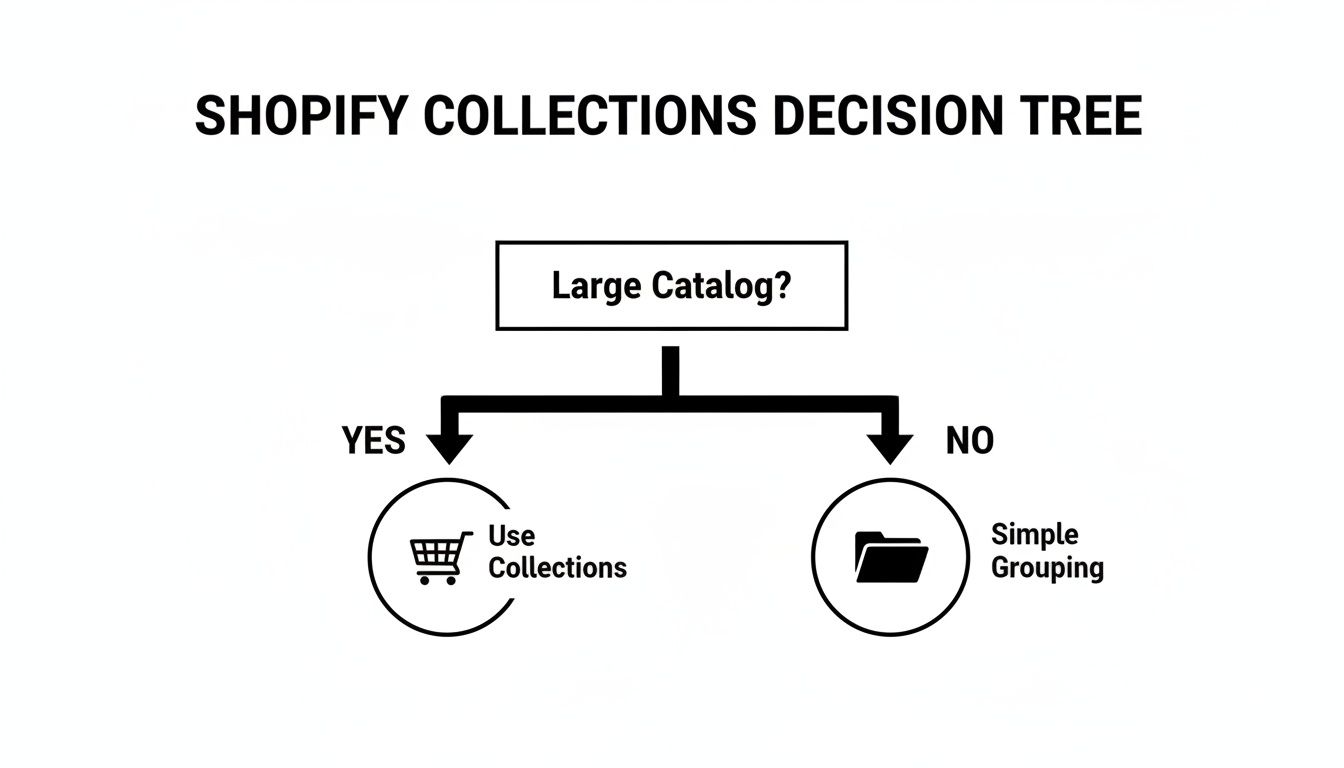
As you can see, once you move past a handful of products, collections are no longer optional, they're critical for user experience.
Leveraging the Power of Automated Collections
Automated collections are the workhorses of your store, built for efficiency and scale. They handle the day-to-day organization of your main product categories. You set up rules based on product type, tags, or price, and the system does the rest.
Automated collections are a "set it and forget it" solution for your core catalog structure. Once you define the rules, they automatically update as you add, remove, or change products, ensuring your site is always accurate without constant manual intervention.
Here are the best use cases for automation:
- Core Product Categories: Your main navigation links like "T-Shirts," "Jeans," or "Skincare" should always be automated. Use product types or tags, and any new t-shirt you add will automatically appear in the correct collection.
- Price-Based Groupings: Easily create collections like "Gifts Under $50" or "Sale Items" by setting rules based on price or the "compare-at price" field.
- Brand-Specific Pages: If you sell products from multiple brands, create a dedicated collection for each by setting a rule based on the "Vendor" field. This lets shoppers browse by their favorite brands.
- Best Sellers: While often requiring an app or custom logic, many stores automate a "Best Sellers" collection based on sales velocity or by applying a specific tag to top-performing products.
Manual vs Automated Collections Feature Comparison
This table breaks down the key differences between manual and automated collections.
| Feature | Manual Collections | Automated Collections |
|---|---|---|
| Product Selection | You hand-pick every single product. | Products are added automatically based on rules you set. |
| Best For | Curated assortments, flash sales, new arrivals, 'Shop the Look'. | Core categories, sales, brand pages, price-based groups. |
| Maintenance | High. Requires constant manual updates as products change. | Low. Self-maintaining, updates automatically. |
| Control | Absolute. You have 100% control over product order and inclusion. | Limited to the conditions you set (tags, price, type, etc.). |
| Scalability | Poor. Becomes very time-consuming for large catalogs. | Excellent. Easily handles thousands of products without extra work. |
| Setup Speed | Slower, as it requires individual product selection. | Faster, once you define the logical conditions. |
The most successful stores don't choose one or the other, they use both. A hybrid approach provides the efficiency of automation for your core site structure and the creative control of manual collections for marketing campaigns. Use the right tool for the job.
How to Create and Manage Shopify Collections
Knowing the difference between collection types is one thing, building a repeatable process to manage them is what sets high-growth brands apart. This is about creating an operational workflow that saves your team time.
Let's walk through the practical steps for managing collections effectively.
Get started in your Shopify admin under Products > Collections. From there, click the "Create collection" button.
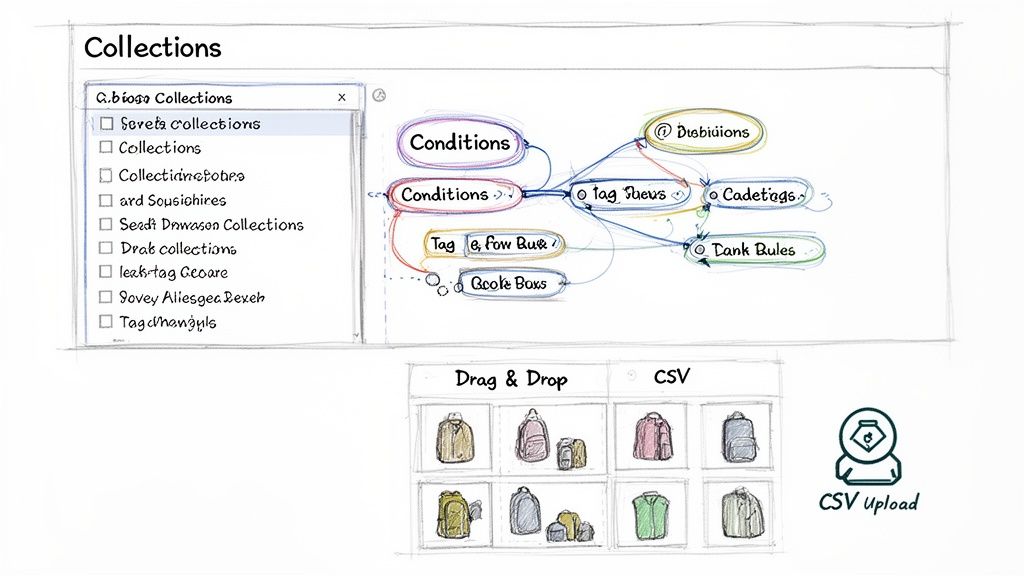
This dashboard is your command center, offering an overview of all collections, their type, and the number of products in each.
Setting Up Your First Collection
Once you click "Create," the first decision is Collection type: Manual or Automated.
- For Automated Collections: You define conditions that automatically pull in products based on tags, title, price, or vendor. A common and effective strategy is using the rule, "Product tag is equal to [tag name]." This gives you precise control. You can also stack conditions, such as creating a collection for products tagged "T-Shirt" and with a price over $50.
- For Manual Collections: After creating the collection, you use the search bar in the "Products" section to find and add items one by one. The key feature is the drag-and-drop sorter, which lets you decide the exact order products appear, perfect for placing new arrivals or bestsellers at the top.
Pro-Tip: If you use automated collections, be rigorous with your tagging system. Create a master list of approved product tags for your team. This prevents typos (like "tshirt" vs. "t-shirt") from breaking your rules and creating inventory issues.
Optimizing for SEO and User Experience
With products in place, optimize the details that attract visitors and drive conversions.
- Title: This is your H1 tag and a primary SEO signal. Be clear, descriptive, and use your target keyword. "Women's Running Shorts" is far more effective than "Shorts."
- Description: This is your sales copy. Write a compelling, keyword-rich paragraph that explains the collection's purpose to shoppers and search engines. It’s a significant opportunity to improve rankings and provide context.
- Collection Image: This is your visual first impression. Use a high-quality, on-brand lifestyle photo or a clean composite shot representing the collection. This image appears throughout your site, so make it count.
Scaling Management for Large Catalogs
Manually managing collections is feasible for 50 products but unsustainable for thousands. For larger stores, bulk management is a necessity.
High-growth brands rely on CSV uploads. Export all your products, quickly add or change tags in a spreadsheet, and re-upload the file to update thousands of items at once. It’s the most efficient way to execute a sitewide sale or reorganize categories.
As we've seen in our work improving collection page experiences with category portals, a well-organized structure has a massive impact on user experience and conversion.
Ultimately, your collections drive product discovery. A disciplined, scalable workflow for creating and maintaining them is not administrative work, it's a foundational component of growing traffic and revenue.
Advanced SEO and Merchandising Strategies
Once your collections are built, the real work begins. They must be treated as high-performance assets that attract organic traffic and drive sales. Think of each collection as a strategic landing page, not just a product grid.
In competitive Shopify verticals, collections are often the first touchpoint a customer has with your products. This is especially true in large categories like home & garden (338,754 stores) and beauty & fitness (309,983 stores), the second and third largest sectors on Shopify as of late 2025. Brands in these spaces use thematic collections, like ‘Eco-Friendly Decor’ or ‘Vegan Skincare Essentials’, to help customers navigate vast product catalogs.
Strategic Merchandising Within Collections
Your collection's sort order is one of the most powerful, yet overlooked, merchandising tools available. Leaving it on the default setting is a missed opportunity. You need to strategically feature products that align with your business goals.
Here are a few merchandising tactics:
- Lead with Best-Sellers: Place your top-performing products at the top of the grid. This provides immediate social proof and makes it easy for visitors to buy popular items.
- Prioritize High-Margin Items: Feature products with excellent margins prominently to directly boost the profitability of each sale.
- Showcase New Arrivals: For a manual collection like "New In," use the drag-and-drop sorter to place the newest items first. This creates excitement and encourages repeat visits.
- Group by Visuals: In fashion or home decor, arrange products to create a visually pleasing flow, turning a product grid into an inspiring digital lookbook.
A collection page should never be static. Treat it as a living part of your store. The featured products should change based on seasonality, inventory levels, and current marketing campaigns.
To see how these tactics fit into a bigger picture, ground them in broader ecommerce planning and merchandising strategies. A holistic view ensures every part of your site works together to increase AOV and customer lifetime value.
A Technical SEO Checklist for Collection Pages
From an SEO perspective, your collection pages are invaluable. They represent your best opportunity to rank for broad, high-intent keywords that drive qualified traffic.
Here’s a checklist to ensure your collections are optimized for search:
- Optimized Title Tag: This is a critical on-page SEO element. Keep it concise, include your main keyword, and add your brand name. A perfect example is "Women's Running Shorts | Your Brand Name".
- Compelling Meta Description: While not a direct ranking factor, a great meta description acts as your ad on the Google results page. It must convince users to click. Briefly describe the collection, mention a perk like "free shipping," and include a call to action.
-
Clean URL and Handle: The URL should be short, readable, and contain your keyword. You want
/collections/womens-running-shorts, not/collections/collection-123-new. - Descriptive H1 Tag: By default, Shopify uses your collection title as the H1. Ensure it’s clear and matches user search intent.
- Keyword-Rich Collection Description: Write a unique, helpful description of 100-300 words that sits either at the top or bottom of the page. Explain what's in the collection, who it's for, and why your products are the best choice. This adds critical context for users and search engines.
Managing Internal Linking and Out-of-Stock Products
Your internal linking structure is a significant SEO factor. It distributes "link equity" throughout your site and signals your authority on a topic to Google.
- Link from Your Homepage: Your most important collections deserve a link from the homepage, either in your main navigation or promotional banners.
- Cross-Link Between Collections: In the description for a "Summer Dresses" collection, link to related collections like "Sandals" or "Sun Hats."
- Link from Blog Posts: A blog post on "The Top 5 Running Shorts for Marathoners" should link back to your running shorts collection.
Finally, have a strategy for out-of-stock products. Deleting a product page creates a 404 error, which harms SEO and frustrates shoppers.
For Shopify Plus brands, the best practice is to automatically push out-of-stock items to the bottom of the collection. This keeps the product URL live, preserving its SEO value, while ensuring shoppers primarily see available products. You can set this up with Shopify Flow or third-party apps. It’s a simple solution that protects user experience without damaging search rankings.
For a deeper dive into these tactics, see our complete guide on ecommerce merchandising best practices.
Personalizing Collections for High-Value Customers
A generic, one-size-fits-all storefront is no longer effective. Personalizing your Shopify collections allows you to move from mass messaging to targeted conversations with your most valuable customer segments.
Consider this: if a user clicks an ad for "Luxury Leather Handbags," they should not land on a generic "All Bags" page filled with canvas totes. That's a wasted click. Instead, they should see a curated collection of only your premium leather bags, perhaps pre-sorted by "Newest Arrivals" to create a seamless journey from ad to purchase.
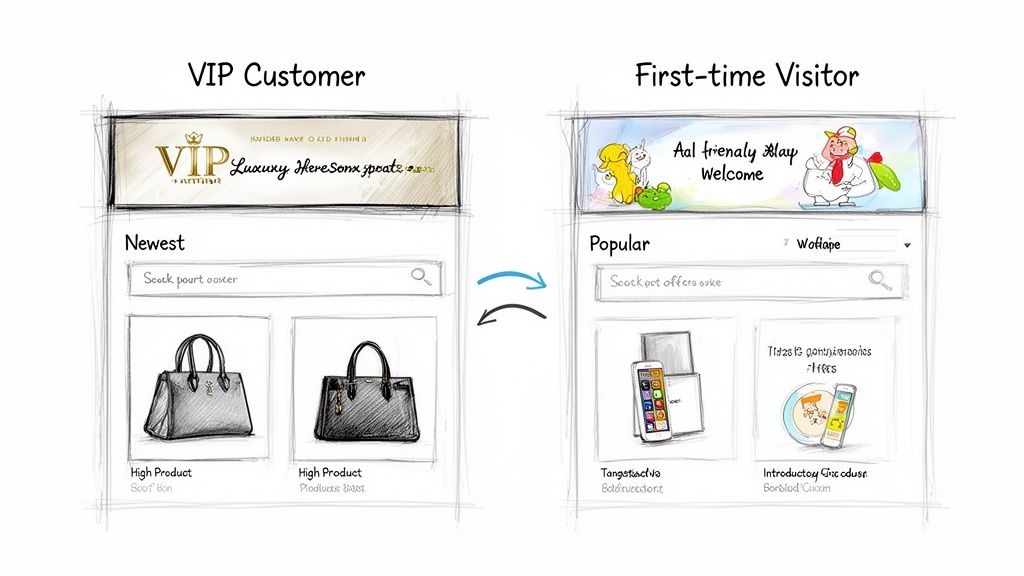
This attention to detail is what closes the gap between ad spend and conversion rate.
Tailoring Experiences to Customer Segments
The real leverage comes from showing different versions of your collections to different users. You can craft unique experiences based on who the shopper is and where they are in their buying journey.
Here are a few practical examples:
- First-Time Visitors: Greet them with a collection page hero banner that spotlights your welcome offer, like "15% Off Your First Order." You could also default the product sort order to "Best Selling" to provide social proof.
- VIP Customers: Welcome your best customers back with a hero image that says, "Welcome Back! See What's New." For this segment, sorting by "Newest" is more effective, and you could even inject an exclusive "VIP Picks" product row at the top.
- Location-Based Shoppers: A customer browsing from California could see a collection of swimwear and shorts, while a visitor from New York is shown coats and sweaters. This is achieved by using geotargeting to display different collections or banners.
This is a core strategy, not just a feature. You can get a deeper sense of what is website personalization and how these principles can be applied across your entire store.
Testing and Validating Personalization Efforts
Ideas are unproven until tested. The only way to know if your personalization efforts are increasing revenue is to test them. Validate every change with A/B or multivariate testing to prove it’s lifting your profit per visitor.
A personalized collection is a hypothesis. The hypothesis might be, "Showing VIPs a 'New Arrivals' sort order will increase AOV." Testing is how you prove that hypothesis is both true and profitable.
For merchants on Shopify Plus, collections are a prime area for personalization. Specialized agencies can often ship two to four personalized experiences per month, tailoring pages by demographics or customer lifecycle stage. These hypotheses are then validated through tests that can produce many thousands in incremental revenue.
Here’s a simple framework for testing on collection pages:
- Identify a High-Value Segment: Start with an obvious group, like repeat buyers or visitors from a high-intent ad campaign.
- Formulate a Hypothesis: What specific change do you believe will drive this segment to convert? For example: "Matching the hero banner to our Facebook ad creative will lower the bounce rate and increase add-to-carts."
- Build the Variants: Create the different versions of the collection page in your testing tool. Variant A is your control (the original page), and Variant B is your new personalized version.
- Run the Test: Send traffic to the page and let the test run until you have a statistically significant result.
- Analyze and Iterate: If your personalized version won, roll it out to 100% of that segment. If not, analyze the results, learn from them, and launch a new test.
This disciplined approach transforms your collections from static product grids into dynamic, high-performance marketing assets. By continuously testing and personalizing, you create a store that feels uniquely relevant to every shopper, which is a proven way to improve your bottom line.
Your Next Step: Audit Your Collections
You now understand that Shopify collections are powerful tools for guiding shoppers and boosting sales. The next step is to turn this knowledge into an action plan.
Start by conducting an audit of your existing collections. Are they actively working for you, or have they become a disorganized digital backroom? This audit will reveal your biggest opportunities. The goal is to ensure every collection contributes to your bottom line.
Your Quick Self-Audit Checklist
Use these questions to evaluate your current setup and identify quick wins.
- Collection Types: Are you using a healthy mix of manual and automated collections? You need both: manual for curated campaigns and automated for core, rules-based categories.
- Merchandising Rules: What is your default sort order? If it's universally set to "Best Selling," you're missing opportunities. Consider pushing high-margin items, new arrivals, or slow-moving stock.
- SEO Health: Do your collections have unique, keyword-rich titles and descriptions? Or did you name them and move on? You could be leaving significant organic traffic on the table.
- Personalization Gaps: Are you showing your VIPs the same page as a first-time visitor from a TikTok ad? Creating a tailored collection for just one high-value segment can deliver a substantial ROI.
Your goal is to evolve your collections from basic product lists into high-powered conversion engines. To know if a page is pulling its weight, measure it against conversion rate benchmarks by industry. Every element, from the product sort order to the hero banner, should have a clear, strategic purpose.
Working through this list will create a clear roadmap. Whether it's fixing your SEO, A/B testing product sorting, or building your first personalized experience, the key is to start now and begin treating your collections with the strategic respect they deserve.
Frequently Asked Questions
Let's address some of the most common questions from high-growth brands about Shopify collections.
How Many Collections Is Too Many on Shopify?
There is no magic number, it's about the customer experience. If your navigation is cluttered or shoppers suffer from choice paralysis, you have too many.
For a store with around 5,000 SKUs, a range of 50 to 150 well-organized collections is typical. This allows for clear primary categories ("Tops"), strategic sub-collections ("Graphic Tees"), and promotional groups without overwhelming users.
The question isn't "how many," but "are my collections making it easier to buy?" If a collection serves a specific purpose and helps a customer find what they want, it’s valuable.
Can a Product Be in Multiple Collections?
Yes, and you absolutely should do this. A single product can and should exist in multiple relevant collections to maximize its visibility.
For example, a "red linen t-shirt" could belong in:
- An automated collection for all "T-Shirts"
- An automated collection based on the "Linen" tag
- A manually curated collection for a "Summer Getaway" edit
- A promotional collection like a "Red Tag Sale"
Placing products in every relevant collection increases the likelihood that the right shopper will find them, regardless of their browsing path.
Can You Create Collections of Collections?
Natively, no. Shopify does not support a "collection of collections," meaning you cannot have a parent collection page that displays other collections as its content. This can be a challenge for brands with deep catalogs needing layered navigation (e.g., Clothing > Men's > Tops > T-Shirts).
The workaround is to use custom pages or navigation menus offered by themes and apps. For example, you can create a "Men's" landing page and manually feature your "Men's Tops" and "Men's Bottoms" collections with images and links. This guides shoppers through a more structured experience.
Ready to stop guessing and start optimizing? CONVERTIBLES helps Shopify Plus brands build segment-specific collection experiences that drive measurable revenue growth. See how we can build a CRO roadmap for your store. Learn more.